
Illustration: Collision Estimate Photo Guide
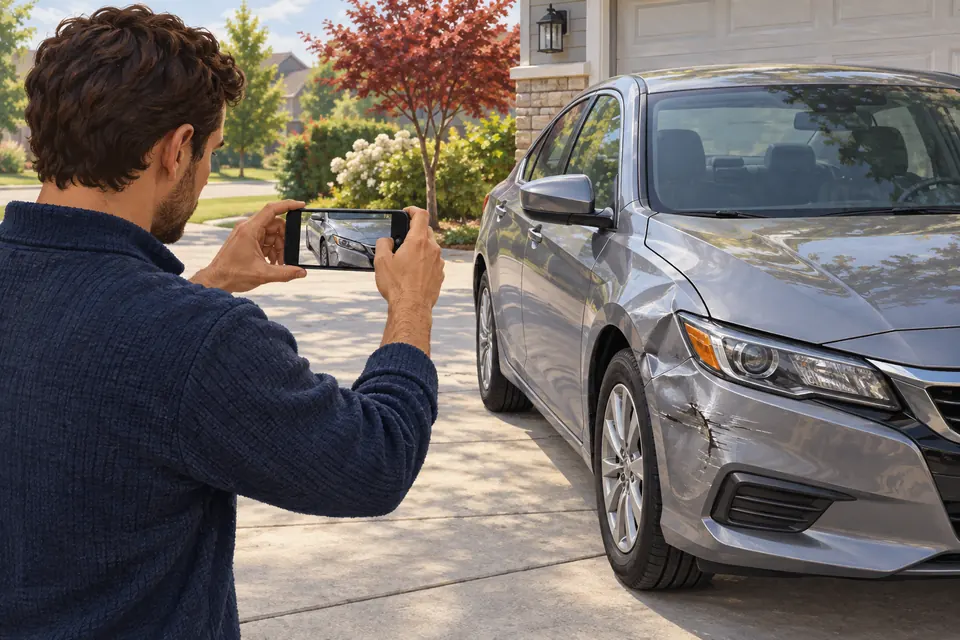
Generated educational illustration. Not an actual customer repair, transport handoff or Boudreaux’s facility.
Which photos help a collision estimate?
Useful estimate photos show the whole vehicle, each damaged area, closer details and another angle for context. Vehicle information and a description of the impact help the shop interpret them.
Take photos only when it is safe; do not approach traffic, crawl beneath an unstable vehicle or expose yourself to broken glass. Include relevant warnings if safely visible and use the estimate form for the submission. Photos cannot establish every hidden condition or guarantee a final price.
A small photo set with a clear purpose
Build a set the estimator can follow: one whole-vehicle view, a wider view locating each affected area, a closer detail and an alternate angle. These are useful view types rather than a required file count. Leave out a view you cannot obtain safely and explain the missing access.
Check the images before sending. Can the reader tell which corner is shown? Does glare hide the crease? Does the close-up have a wider companion? Keep the original files and add a short description instead of drawing over the only copy.
Related Repair Guidance
Make the first set of pictures easy to understand
Begin with the vehicle identity and the damaged area in context. A wider view helps the shop understand where a closer damage picture belongs. Add a closer view of a relevant crease, broken edge or opening only when you can reach that position safely. A collection of close-ups with no context can be harder to interpret.
Use ordinary available light and check whether glare or a shadow hides the area you intended to show. Keep the original image when possible and avoid filters that change the appearance. A useful photograph records what is visible; it is not a way to make the damage look larger or smaller.
If the vehicle has more than one affected area, keep the views organized by area and explain which pictures go together. The impact description helps the shop understand the sequence. For a hypothetical request, a wider front view and a close view of a damaged corner provide different context even though they show the same area.
Do not enter traffic, crawl beneath an unstable vehicle or remove parts to obtain a better picture. Missing access should be explained in your notes. The shop can discuss the appropriate inspection and transport instead of expecting an owner to create an unsafe camera angle.
Write a short note to accompany each damage area
Identify the vehicle using the requested year, make, model and identification fields. Then describe the location in ordinary terms, such as passenger-side rear corner. If several areas are involved, group their views and name each area in the message.
Separate appearance from behavior. A cracked lamp is visible; a new warning or a door that no longer closes needs a written observation. Include when you first noticed the change and whether you remember it before the impact. You do not need to guess the failed component.
If you have an earlier estimate, include its date and explain whether it came from photos or an inspection. Provide only the relevant records requested by the shop. Keep unrelated personal documents and other people’s information out of the photo set.
Confirm receipt and the next intake action
Select New Orleans or Luling and review your contact information. Follow the upload field’s current format and size instructions. Review the form’s response before treating an attachment as received; a file remaining on your phone is not evidence of delivery.
If the upload stops or no clear confirmation appears, keep the originals and call the selected shop to ask how to provide them. For time-sensitive follow-up, call New Orleans at 504-309-3092 or Luling at 985-331-0707. Do not send repeated copies containing more personal information to resolve an uncertain upload.
Ask whether the next step is additional information, an inspection visit or transport coordination. Sending pictures does not reserve a repair slot, establish the final scope or authorize disassembly.